
July 4, 2026
How to Tell If Someone Blocked You on Discord Without Harassing Them
Table of contents
- Table of contents
- How to tell if someone blocked you on Discord: quick answer
- Discord block signs and what else they can mean
- How to check Discord block clues without crossing a line
- Why Discord profile privacy can look like a block
- What to do if someone blocked you on Discord
- Safety and legal use
- Discord block vs unfriend vs privacy settings
- FAQ about how to tell if someone blocked you on Discord
- Final checklist for Discord block clues
You can look for signs that someone blocked you on Discord, such as failed DMs, reactions that do not stick, friend request errors, or profile details that disappear. But Discord does not give a public “blocked by this person” label, and many clues can also come from privacy settings, shared-server context, account changes, or normal app errors.
The right goal is not to force proof. The right goal is to understand the likely explanation, avoid misreading Discord privacy features, and respect the other person’s boundary. If you think someone blocked you, do not use alternate accounts, bots, mutual friends, or server hopping to keep contacting them.
Key takeaways
- Discord’s official blocking and privacy settings explain how users can limit DMs, friend requests, and profile visibility.
- A failed message or reaction is a clue, not a guarantee.
- If the situation involves harassment, threats, scams, or safety concerns, use Discord’s official reporting tools instead of investigating the person.
Table of contents
- How to tell if someone blocked you on Discord: quick answer
- Discord block signs and what else they can mean
- How to check Discord block clues without crossing a line
- Why Discord profile privacy can look like a block
- What to do if someone blocked you on Discord
- Safety and legal use
- Discord block vs unfriend vs privacy settings
- FAQ about how to tell if someone blocked you on Discord
How to tell if someone blocked you on Discord: quick answer
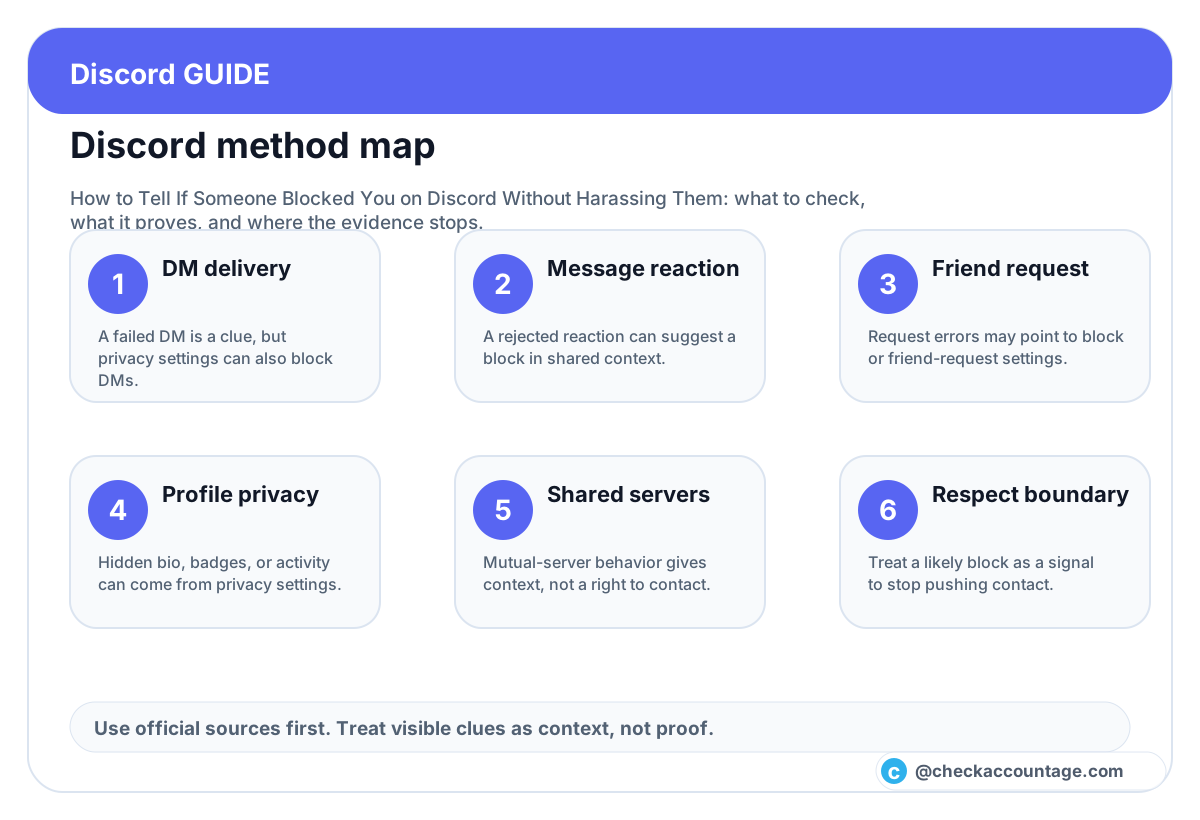
The most common clues are:
- your direct message does not deliver;
- your reaction to one of their messages disappears or fails;
- a friend request fails after you were previously connected;
- you cannot see profile details you used to see;
- you were removed from the friends list;
- server invites or direct contact behave differently.
These clues become more meaningful when several of them happen together. One clue by itself is weak. Discord’s Blocking & Privacy Settings page shows that DMs, blocking, friend requests, and profile details all have their own controls. Discord’s newer Profile Privacy Setting can also hide profile details from people who are not friends or do not share a mutual server.
So the honest answer is: you can often make a reasonable guess, but you usually cannot prove the private reason.
Discord block signs and what else they can mean
Use this table before jumping to a conclusion:
| Sign | Possible block meaning | Other common explanations |
|---|---|---|
| DM fails | They may have blocked you | They may allow DMs only from friends or shared servers. |
| Reaction fails | A block is possible in a shared context | App lag, permission limits, deleted message, or server settings can interfere. |
| Friend request fails | A block is possible | Their friend request settings may be closed. |
| Profile looks empty | They may have hidden details from you | Profile Privacy may hide bio, badges, activity, connected accounts, and more. |
| They vanished from friends | A block is possible | They may have unfriended you, deleted the account, or changed account details. |
| You still see messages in a server | Blocks do not always erase past shared context | Server visibility does not prove they want private contact. |
Competitor articles usually list quick tests, such as sending a DM, reacting to a message, or sending a friend request. Those tests are useful, but many guides overstate certainty. Discord privacy features have changed over time, and profile privacy can make a non-block look like a block. Our recommendation is to combine clues and stop once the likely answer is clear enough for your next action.
How to check Discord block clues without crossing a line
If you want to understand what happened, keep the check minimal:
- Look at the existing DM thread if you already have one.
- Do not send repeated messages. One failed DM is enough.
- If you share a server and there is an old message, notice whether reactions work, but do not spam reactions.
- Check whether you are still friends.
- Look for obvious profile privacy changes, but do not scrape or archive their profile.
- Stop when the clues point to a boundary.
You do not need to involve other people unless there is a genuine safety issue. Asking mutual friends to test the person, screenshot their profile, or pass messages can become pressure. If the person blocked you because they wanted space, working around that choice defeats the purpose of the privacy feature.
If the issue is about your own Discord account age, account creation date, or trust context, that is a different topic. Use the Discord account age checker to inspect public account-age clues, but do not use account age to explain why someone blocked you.
Why Discord profile privacy can look like a block
Discord’s profile privacy settings matter because they can hide profile details from people who are not connected to the user. Discord’s support page says profile privacy can hide details such as custom status, pronouns, badges, activity, connected accounts, bio, widgets, and wishlists, while still showing items such as avatar, display name, username, account age, and mutual friends or servers in some contexts.
That means a profile can look “emptier” without a block. A user may have turned on profile privacy, changed visibility settings, left a server, removed a connected account, or edited their bio. If you treat every missing detail as proof of a block, you may accuse someone unfairly.
The safer interpretation is:
- missing profile detail is a privacy signal;
- failed contact is a contact-limit signal;
- repeated failed signals together suggest a block or strong boundary;
- none of these signals give you permission to force contact.
What to do if someone blocked you on Discord
If the evidence suggests a block, the best response is short:
- Stop trying to contact them.
- Do not use another account.
- Do not ask mutual friends to pressure them.
- Do not join servers just to reach them.
- If you caused conflict, write down what you can learn from it without sending another message.
- If there is harassment, threats, fraud, or self-harm risk, use Discord’s official report or emergency resources where appropriate.
This approach protects both sides. It also protects your Discord account. Trying to work around a block can look like harassment, especially if you use multiple accounts or keep approaching the person through shared spaces.
Safety and legal use
Use this Discord guide only to understand visible behavior in your own account. Do not use these checks to bypass privacy settings, harass another user, evade a block, monitor someone, scrape private data, pressure mutual friends, or access messages you are not authorized to view. If a child, teen, school, workplace, or safety issue is involved, follow Discord’s reporting and safety tools rather than trying to force contact.
If you are being harassed, threatened, impersonated, scammed, or doxxed, preserve relevant evidence and use Discord’s official reporting paths. Do not escalate with retaliation or alternate-account contact.
Discord block vs unfriend vs privacy settings
Here is a practical decision matrix:
| Situation | Most likely category | Better next action |
|---|---|---|
| You can send a friend request normally | Probably not a block | Respect their response and do not spam requests. |
| Friend request fails but DMs were never open | Privacy setting may explain it | Stop after one attempt. |
| DM fails, reaction fails, and friend request fails | Block is plausible | Accept the boundary. |
| Profile bio and activity disappear, but contact still works | Profile privacy or profile edit | Do not assume a block. |
| You were unfriended but still share a server | Relationship changed | Keep server interaction normal and respectful. |
| You feel unsafe or targeted | Safety issue | Report through Discord and save evidence. |
This is where many quick guides are too aggressive. They optimize for certainty. A better guide optimizes for safe interpretation. You do not need perfect proof to choose the respectful action.
FAQ about how to tell if someone blocked you on Discord
Does Discord notify you when someone blocks you?
No. Discord does not show a direct notification saying another user blocked you.
Is a failed DM proof that someone blocked me?
No. A failed DM can happen because of blocking, but it can also happen because of DM privacy settings, friend-only settings, shared-server context, or other account restrictions.
Is a failed reaction proof of a Discord block?
It is a useful clue, especially in a shared server or existing DM context, but it is still not a perfect legal-grade proof. Combine it with other signals and stop once the boundary is clear.
Can Discord profile privacy make it look like I was blocked?
Yes. Discord profile privacy can hide several profile details from people who are not friends or do not share the right context. Missing bio or activity is not enough by itself.
Should I message from another account if I think I was blocked?
No. That can become harassment. If someone blocked you, treat it as a request for distance unless there is a legitimate safety reason to use official reporting channels.
Can account age explain why someone blocked me?
No. Account age can describe when a Discord account was created. It cannot explain another person’s decision, intent, or privacy boundary.
Final checklist for Discord block clues
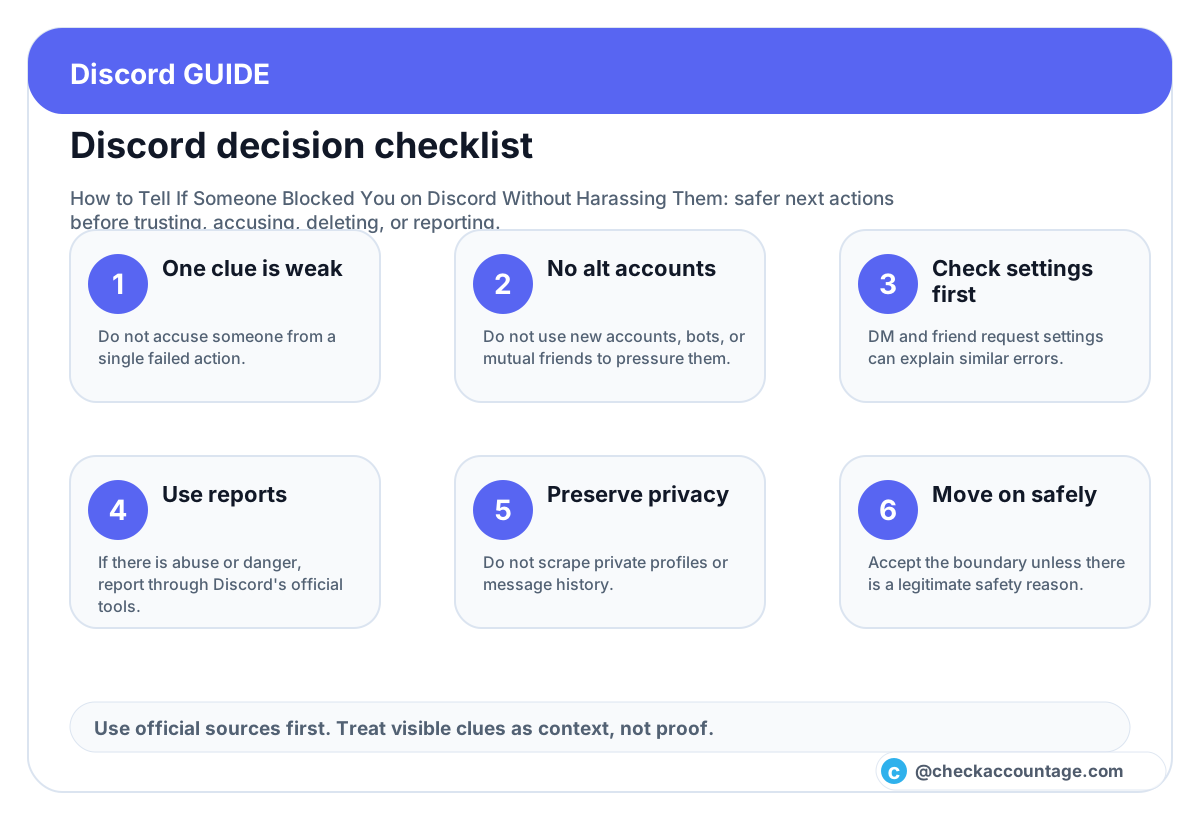
- Treat one failed action as a clue, not proof.
- Compare DMs, reactions, friend requests, and profile privacy.
- Stop after minimal checking.
- Do not use alternate accounts or mutual-friend pressure.
- Use official reporting for abuse, scams, threats, or safety issues.
- Use account-age tools only for public context, not private motives.
The clearest answer is also the healthiest one: if several Discord signals suggest someone blocked you, accept the boundary and move on. You do not need to win an investigation to choose a respectful next step.